1. Introduction to Networking
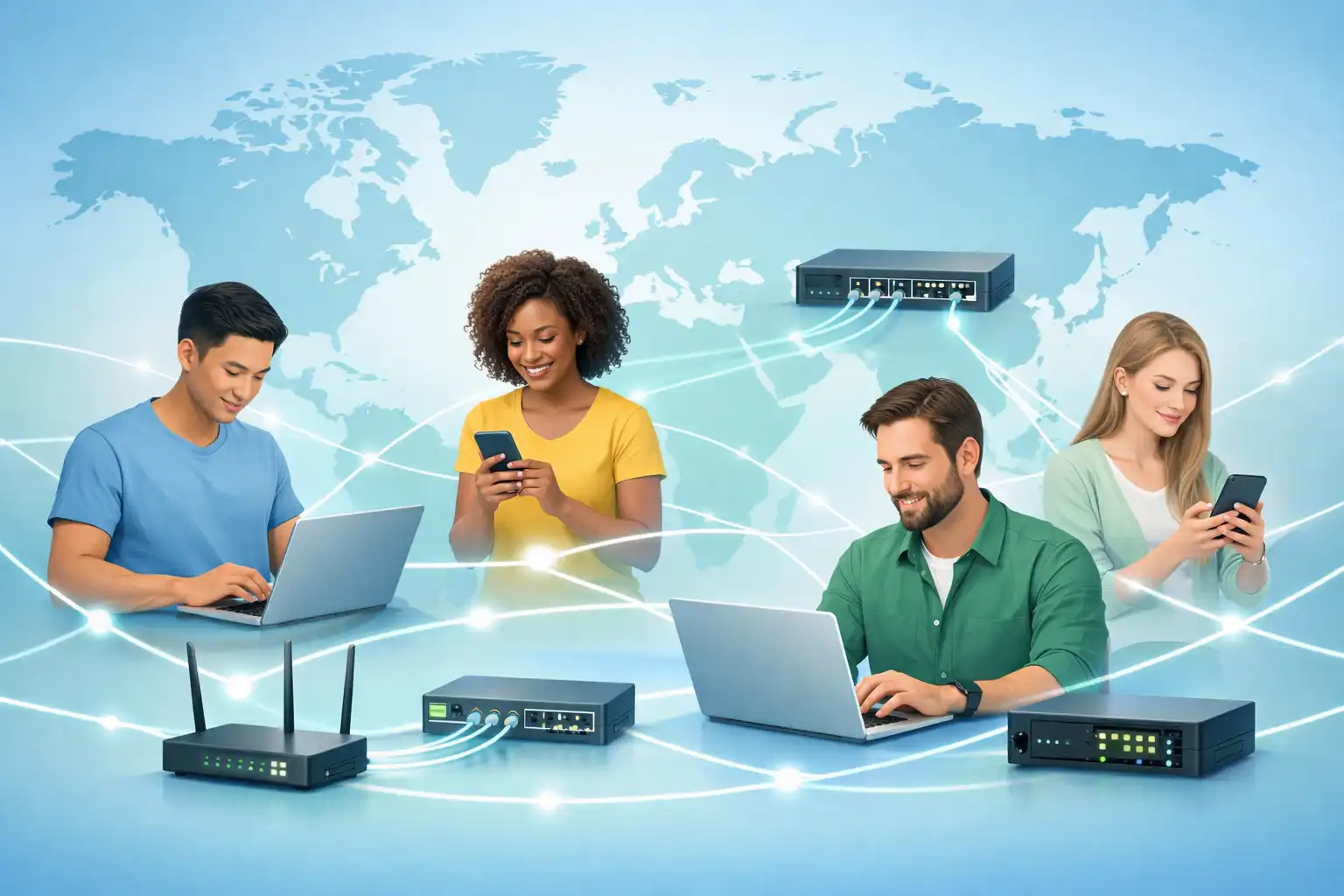
This module introduces you to the exciting world of computer networks. You'll learn how networks are built, how they work, and why they matter in our daily lives.
1.1 What will I learn in this module?
- How networks affect our daily lives
- The basic parts that make up a network
- Different types of networks and how they connect
- What makes a network reliable
- Current trends in networking
- Basic network security concepts
- Career opportunities in networking
2. Network Fundamentals

We're More Connected Than Ever
Communication is one of our most basic human needs. Today, networks have transformed how we connect with each other.
A World Without Boundaries
Networking technology has made physical distance almost irrelevant. The internet has changed how we socialize, do business, and maintain relationships.
2.1 - Hosts: The Devices We Use
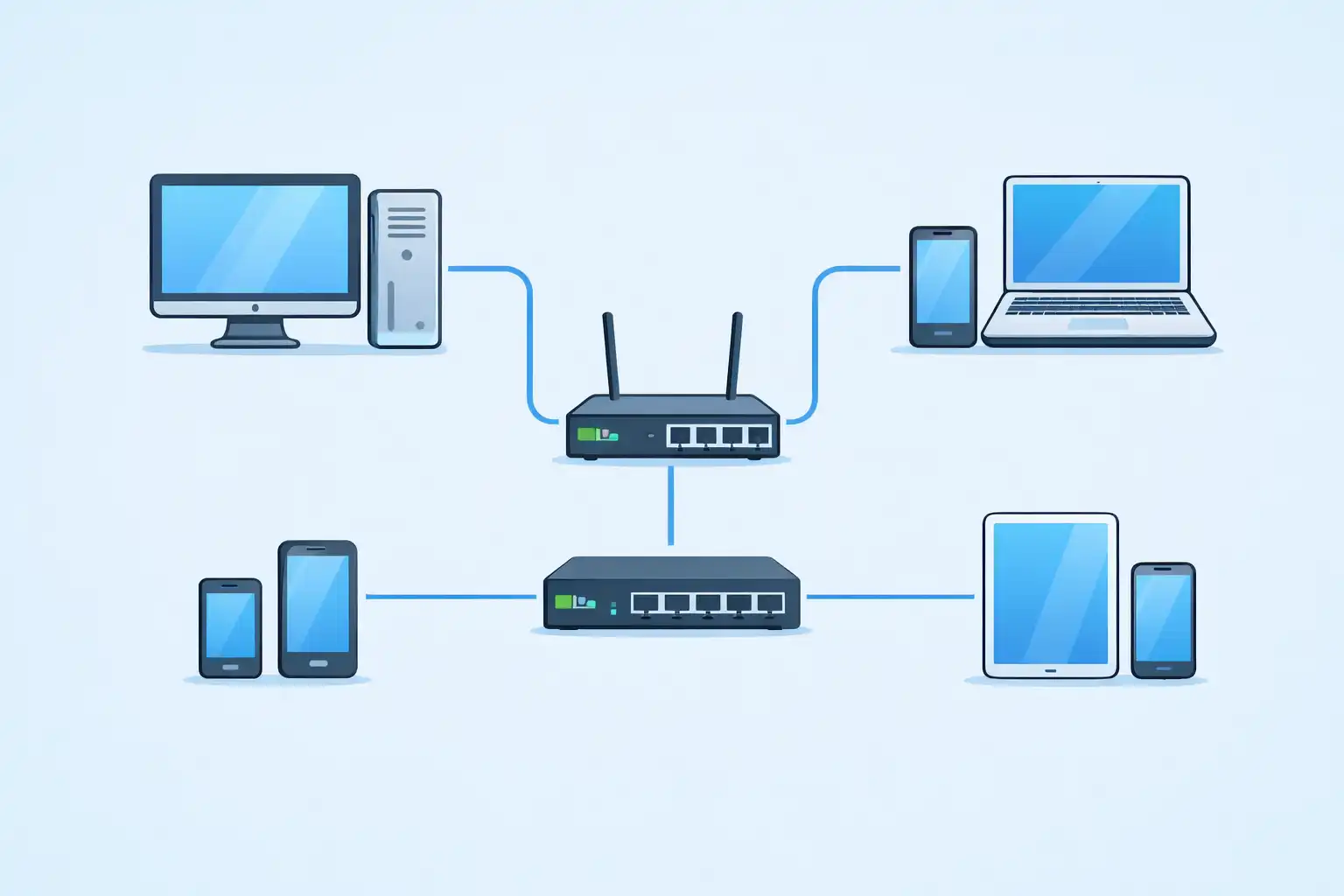
Any computer or device connected to a network that communicates directly is called a host. Hosts include:
- Desktop computers
- Laptops
- Tablets
- Smartphones
Every host needs an IP address - a unique number that identifies it on the network, kind of like a street address for your device.
2.2 - Servers and Clients
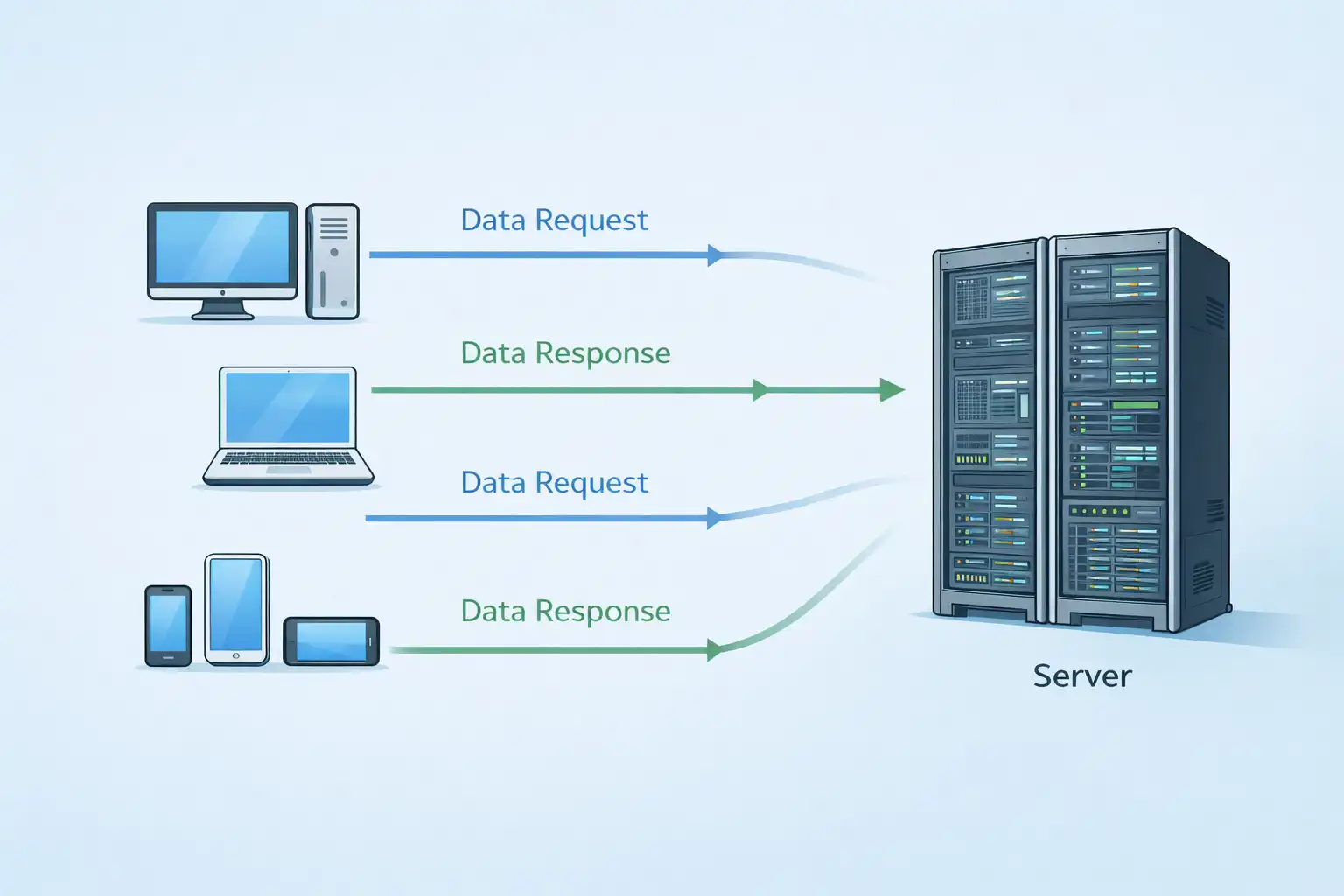
Servers are special computers with software that provides services to other devices. They store websites, handle email, or manage files. Server software runs on these computers, waiting to respond when other devices request information.
Clients are devices that request and display information from servers. Your laptop running a web browser (like Chrome or Firefox) is a client when it asks a server for a webpage.
| Server Type | What It Does |
|---|---|
| Email Server | Stores and manages email, which clients access through programs like Outlook |
| Web Server | Hosts websites that clients view with browsers |
| File Server | Stores files in a central location for clients to access |
2.3 - Peer-to-Peer Networks
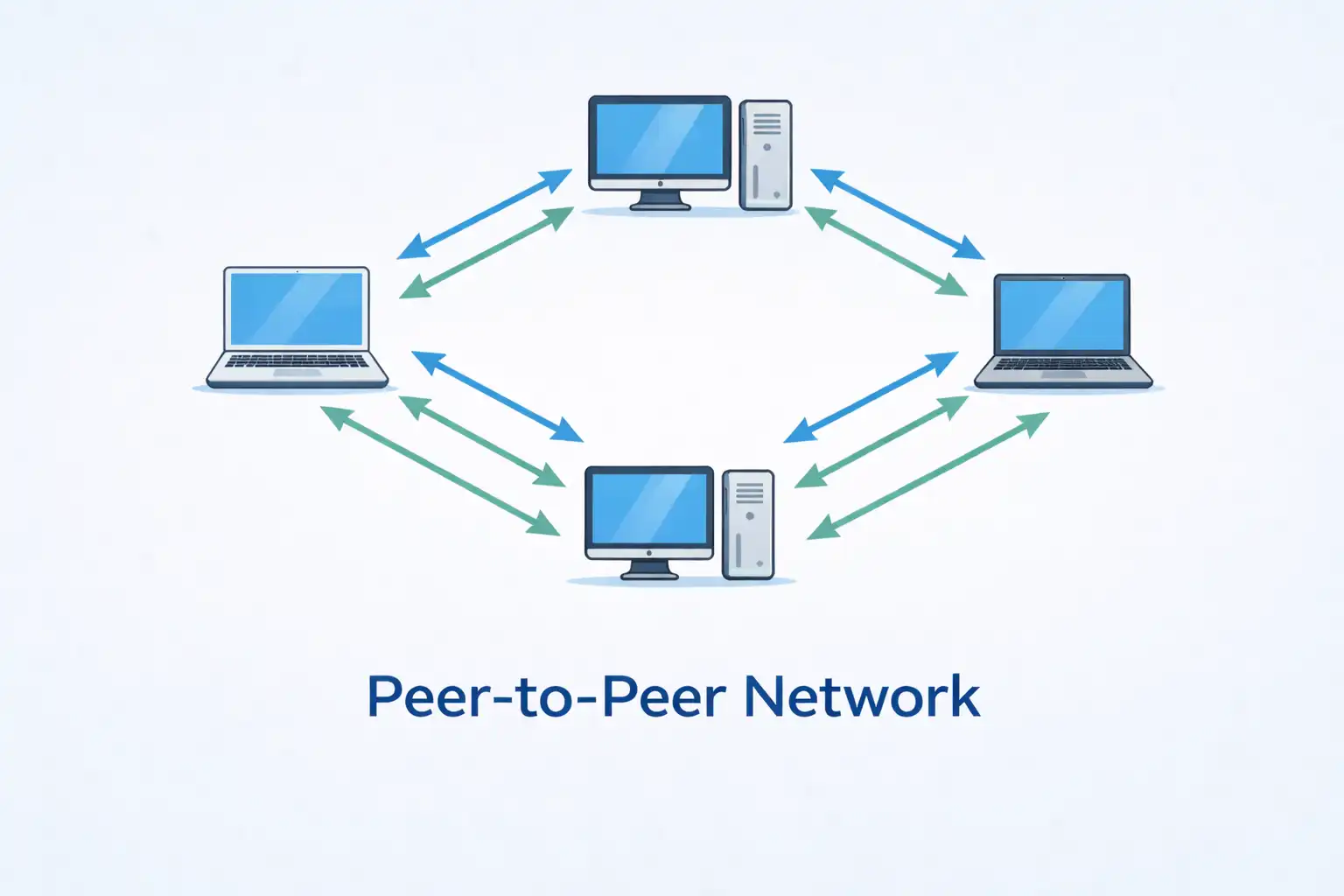
In small offices and homes, the same computer often acts as both client and server. For example, your home computer might access the internet (acting as a client) while also sharing a printer with other devices (acting as a server). This setup is called a peer-to-peer network.
Pros:
- Easy to set up
- Simple to manage
- Lower cost (no dedicated servers needed)
- Good for basic tasks like file sharing
Cons:
- No central control
- Less secure
- Hard to expand
- Performance can suffer when devices multitask
2.4 - End Devices vs. Intermediary Devices
End devices are what people use - computers, phones, printers. They're either the source or destination of messages on the network. Each has a unique address so messages find their way correctly.
Intermediary devices connect end devices to each other and link separate networks. They include:
- Switches
- Routers
- Firewalls
These devices direct traffic, choosing the best path for messages to travel. They also:
- Boost and retransmit signals
- Keep maps of available pathways
- Report errors and failures
- Find alternate routes when problems occur
- Prioritize certain types of traffic
- Block or allow data based on security rules
2.5 - The Medium: How Messages Travel
Messages move across networks through media - the physical path they follow:
| Media Type | How It Works |
|---|---|
| Copper cables | Data travels as electrical pulses |
| Fiber-optic cables | Data travels as light pulses through glass or plastic |
| Wireless | Data travels through the air using radio waves |
Choosing the right media depends on:
- How far the signal needs to travel
- The environment (indoor, outdoor, factory, office)
- How much data needs to move and how fast
- Cost of materials and installation
3. Network Design and Types
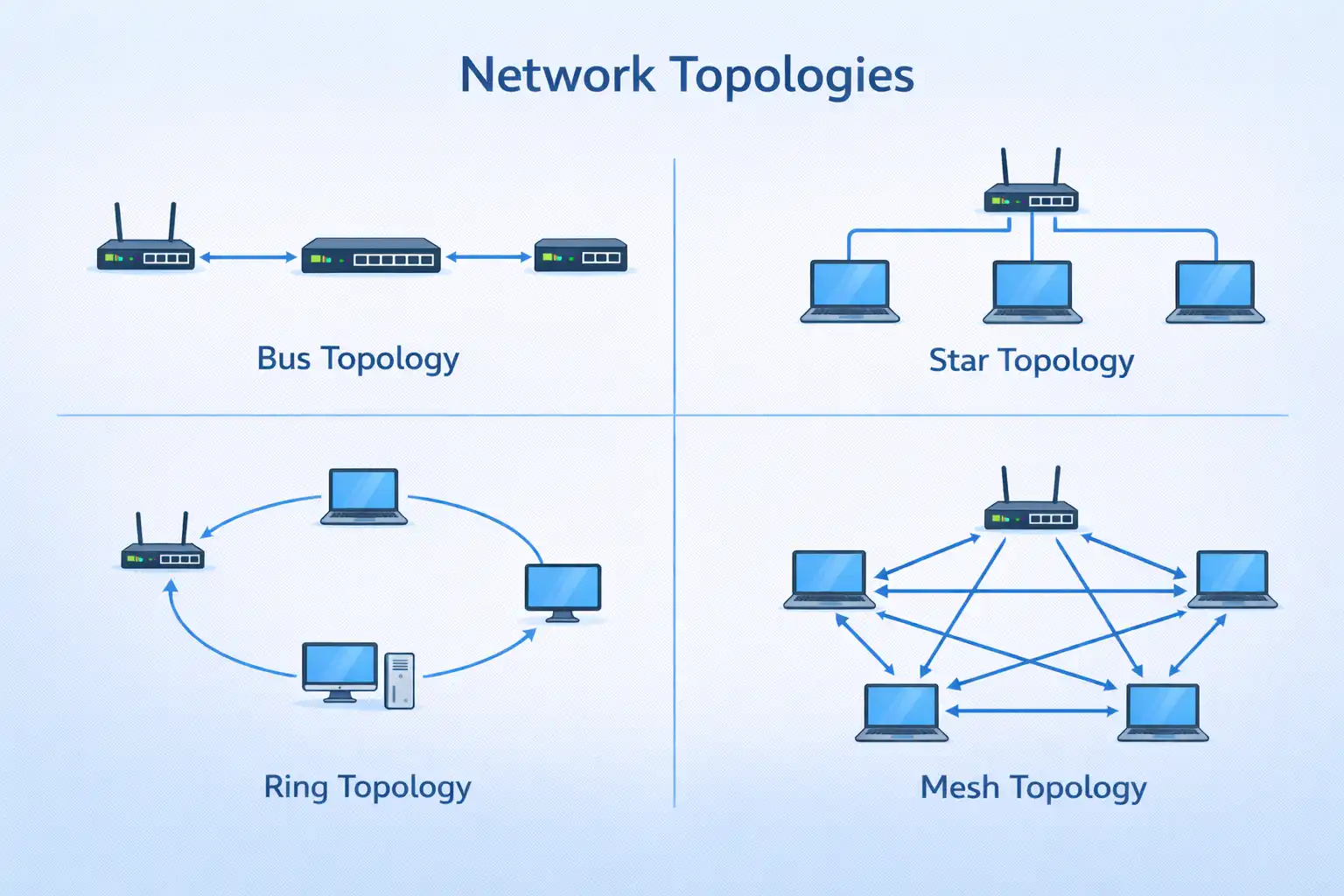
3.1 - Network Diagrams
Network professionals use symbols to draw maps of their networks. These diagrams show:
- Which devices connect to each other
- Where devices are located
- How connections are made
Being able to read these "pictures" helps you understand how a network is organized and how it works.
Key terms to know:
- NIC (Network Interface Card) - The hardware that physically connects your device to the network
- Port - The plug-in point on a device where a cable connects
- Interface - Specialized ports on routers that connect to different networks
3.2 - Two Types of Topology Diagrams
Physical topology diagrams show where devices are actually located and how cables are installed. They might label which room contains which equipment.
Logical topology diagrams show the addressing scheme and which devices connect to which. They reveal the flow of data rather than the physical layout.
3.3 - Networks Come in All Sizes
Simple home networks connect a few devices to share printers, files, and internet access.
SOHO (Small Office/Home Office) networks let people work remotely, connecting to company resources, selling products online, and communicating with customers.
Medium to large networks (like those in schools and corporations) might have thousands of connected devices across multiple locations.
The internet is the biggest network of all - a "network of networks" connecting millions of devices worldwide.
3.4 - LANs and WANs
LAN (Local Area Network) covers a small area like a home, school, or office building. Characteristics:
- Limited geographic area
- Usually managed by one organization
- High-speed connections
WAN (Wide Area Network) covers a broad geographic area, connecting LANs that might be cities, states, or countries apart. Characteristics:
- Spans large distances
- Usually managed by multiple service providers
- Slower connections between LANs
3.5 - The Internet, Intranets, and Extranets
The internet is the global collection of interconnected networks, not owned by anyone. It works because everyone follows consistent standards.
An intranet is a private network belonging to one organization, accessible only to employees and authorized users.
An extranet provides controlled access to outsiders who need specific information - like suppliers checking inventory, doctors scheduling hospital appointments, or schools accessing district budget data.
4. Connectivity and Performance
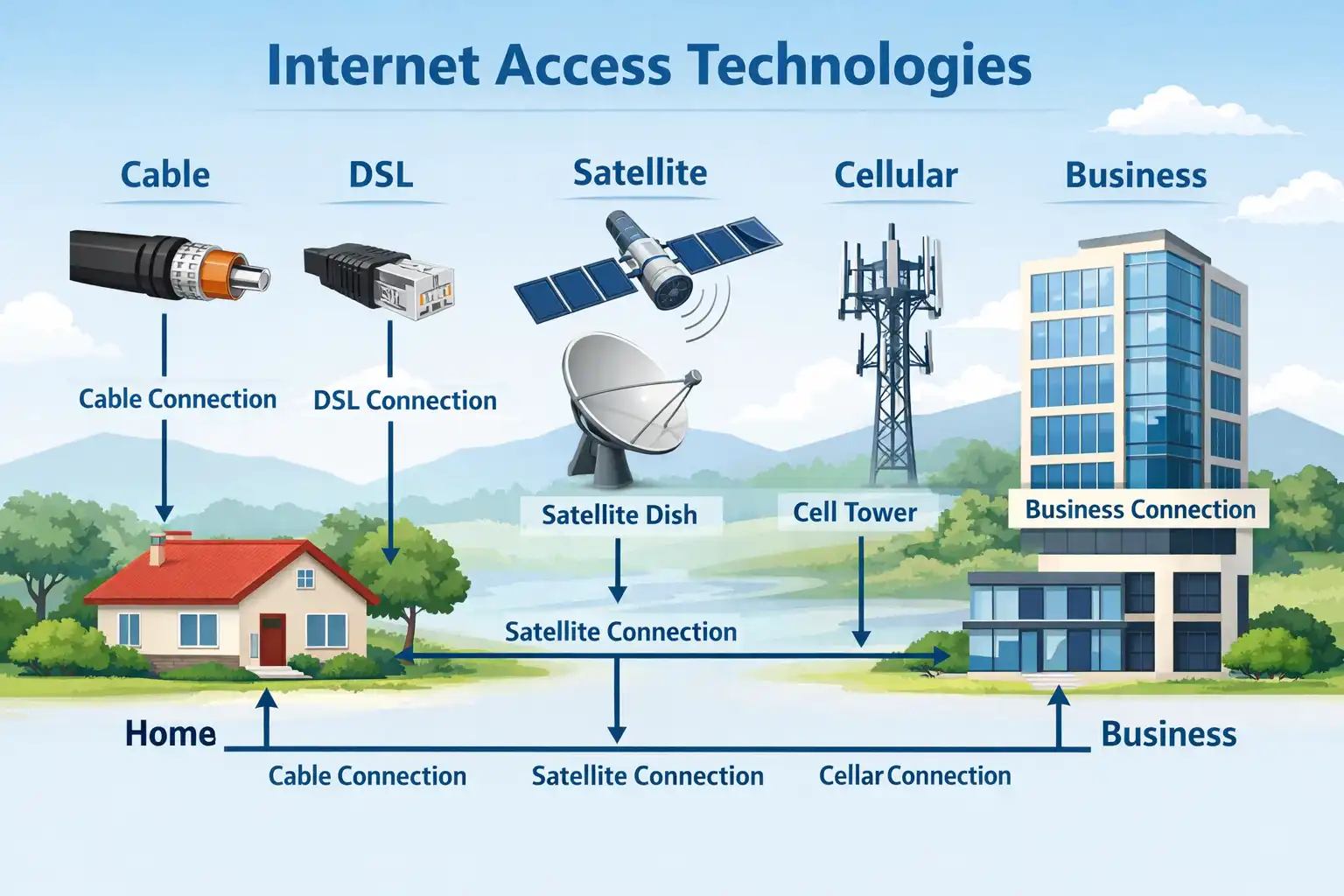
4.1 - Home and Small Office Connections
| Connection Type | How It Works |
|---|---|
| Cable | Uses same lines as cable TV; always-on, high-speed |
| DSL | Uses telephone lines; always-on; download faster than upload |
| Cellular | Uses cell phone network; works anywhere with signal |
| Satellite | Uses satellite dish; good for remote areas with line of sight |
| Dial-up | Uses phone line and modem; cheap but very slow |
4.2 - Business Connections
Businesses need faster, more reliable connections:
| Connection Type | How It Works |
|---|---|
| Dedicated Leased Line | Reserved private circuit connecting offices |
| Metro Ethernet | Extends LAN technology across WAN |
| Business DSL | Symmetric speeds (upload = download) |
| Satellite | Option when wired solutions unavailable |
4.3 - Converged Networks
In the past, schools and businesses had separate networks for data, phone, and video. Each used different technology and couldn't communicate with the others.
Today, converged networks carry all these services over the same infrastructure using common standards. One network handles your internet browsing, phone calls, and video streaming simultaneously.
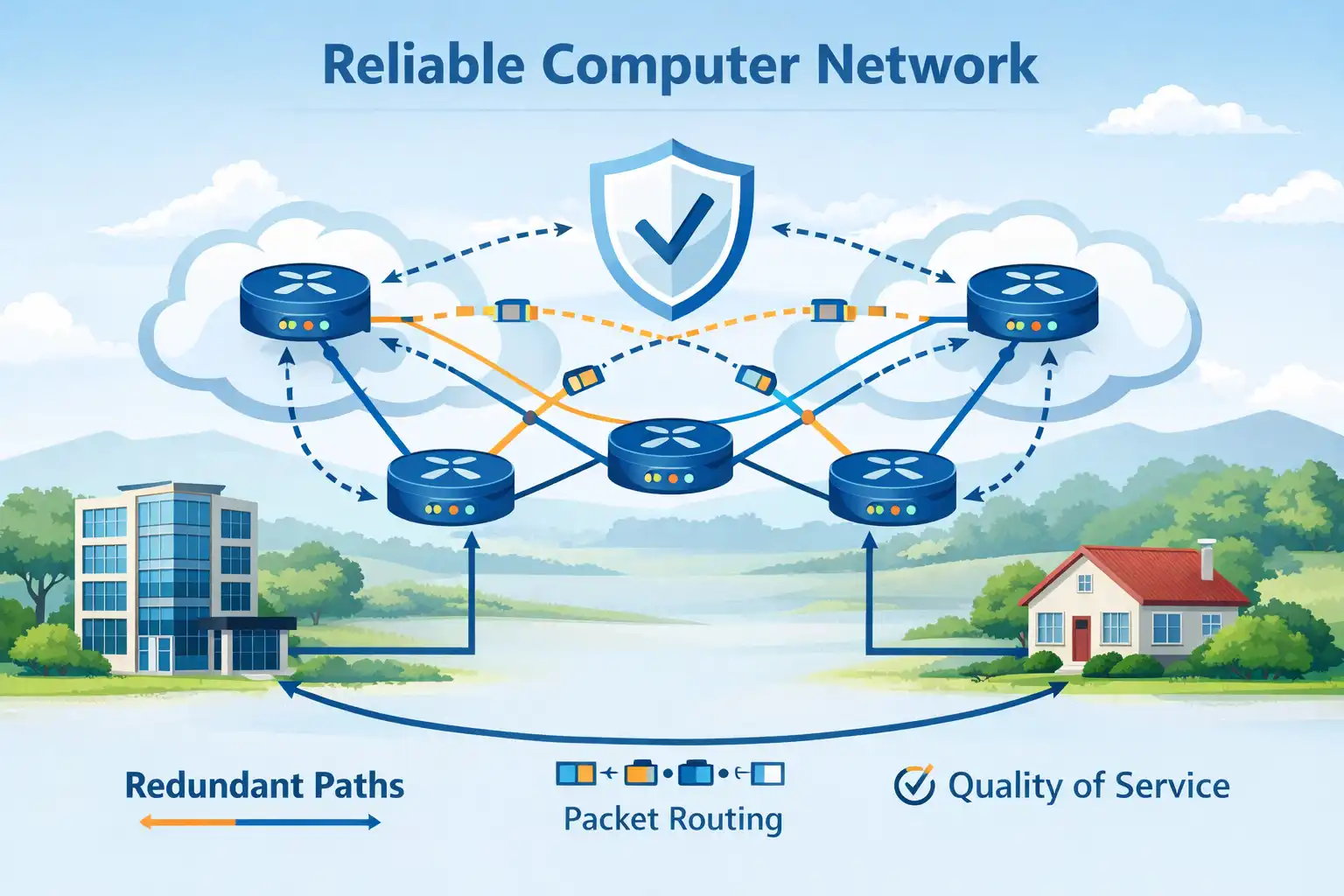
4.4 - Fault Tolerance, Scalability, QoS
1. Fault Tolerance
A fault-tolerant network keeps working even when parts fail. It limits how many devices are affected by problems and recovers quickly. This is achieved through redundancy - multiple paths between source and destination.
Modern networks use packet switching: messages break into small packets, each with address information. Packets can travel different paths to the same destination. If one path fails, packets automatically reroute.
2. Scalability
A scalable network grows easily to support new users and applications without slowing down existing services. This is possible because designers follow accepted standards, so new equipment works seamlessly with existing infrastructure.
3. Quality of Service (QoS)
When network traffic gets heavy, congestion occurs. QoS manages this by prioritizing certain types of traffic. For example, during congestion, a router might give priority to a phone call over a webpage request, ensuring clear voice communication even when the network is busy.
4.5 - Network Security
Network security has two parts:
- Infrastructure security - Physically protecting devices and preventing unauthorized access to management software
- Information security - Protecting data as it travels and when stored
Three key requirements:
- Confidentiality - Only authorized recipients can read the data
- Integrity - Data isn't altered during transmission
- Availability - Authorized users can access data when needed
5. Security, Trends and Career
5.1 - BYOD, Collaboration, Video
BYOD (Bring Your Own Device) - People want to use their personal devices - laptops, tablets, smartphones - anywhere, for anything. BYOD means companies and schools must adapt their networks to securely accommodate personally owned devices.
Online Collaboration - Collaboration tools like Cisco WebEx let teams connect instantly, share ideas, and work together regardless of location. These tools support messaging, file sharing, video, and team spaces that keep project histories.
Video Communications - Video has become essential for communication, collaboration, and entertainment. Video calls connect people anywhere with internet access. Video conferencing helps global teams work together effectively across cultures and time zones.
5.2 - Cloud Computing
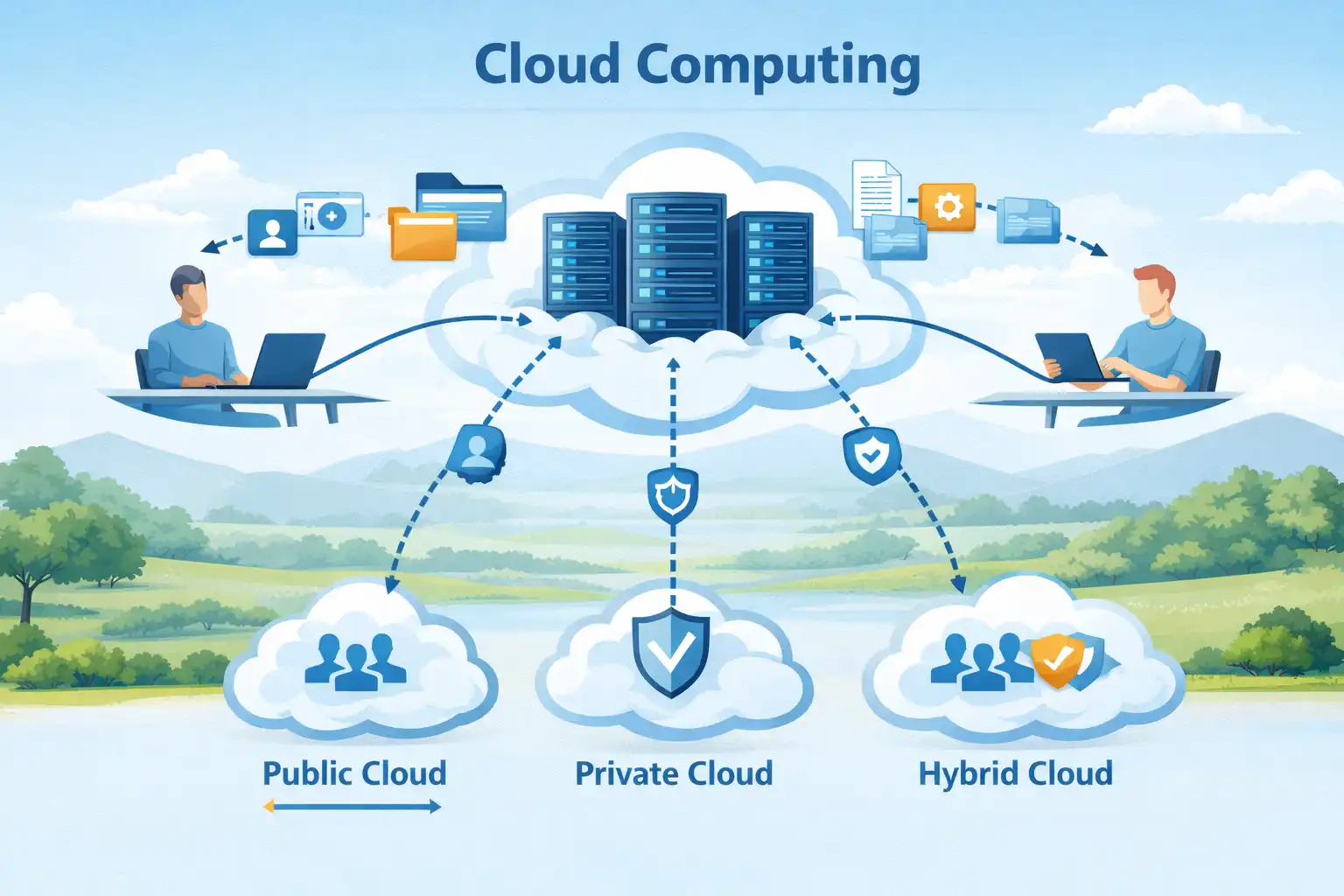
The cloud lets us store files and run applications over the internet instead of on our own devices.
Types of clouds:
- Public cloud - Services available to anyone, often free or pay-per-use
- Private cloud - Dedicated to one organization; more secure but expensive
- Hybrid cloud - Combines public and private clouds
- Community cloud - Shared by organizations with similar needs (like healthcare providers with strict privacy rules)
Cloud services run from data centers - specialized facilities housing computer systems. Large organizations build their own; smaller ones rent space in someone else's.
Smart Home Technology - Everyday appliances are getting smarter. Your oven might connect to your calendar, know when you'll be home, and adjust cooking times accordingly. It could send alerts when food is ready and let you make adjustments from your phone.
Powerline Networking - This technology uses your home's existing electrical wiring to create a network. Plug adapters into outlets, and devices can connect through the power lines. It's useful when Wi-Fi can't reach everywhere and running new cables isn't practical.
Wireless Broadband - In areas without cable or DSL, wireless options include:
- WISPs (Wireless Internet Service Providers) - Use radio towers to connect subscribers
- Cellular broadband - Uses same technology as smartphones; antenna on house provides connection
5.3 - Common Threats
External threats:
- Viruses, worms, Trojan horses - Malicious software on user devices
- Spyware and adware - Software that secretly collects information
- Zero-day attacks - Exploits on the same day a vulnerability becomes known
- Threat actor attacks - Malicious individuals targeting networks
- Denial of service - Attacks that slow or crash systems
- Data interception and theft - Capturing private information
- Identity theft - Stealing login credentials
Internal threats are equally dangerous. Lost or stolen devices, accidental misuse, and even malicious employees cause many data breaches. BYOD strategies make corporate data even more vulnerable.
5.4 - Security Solutions
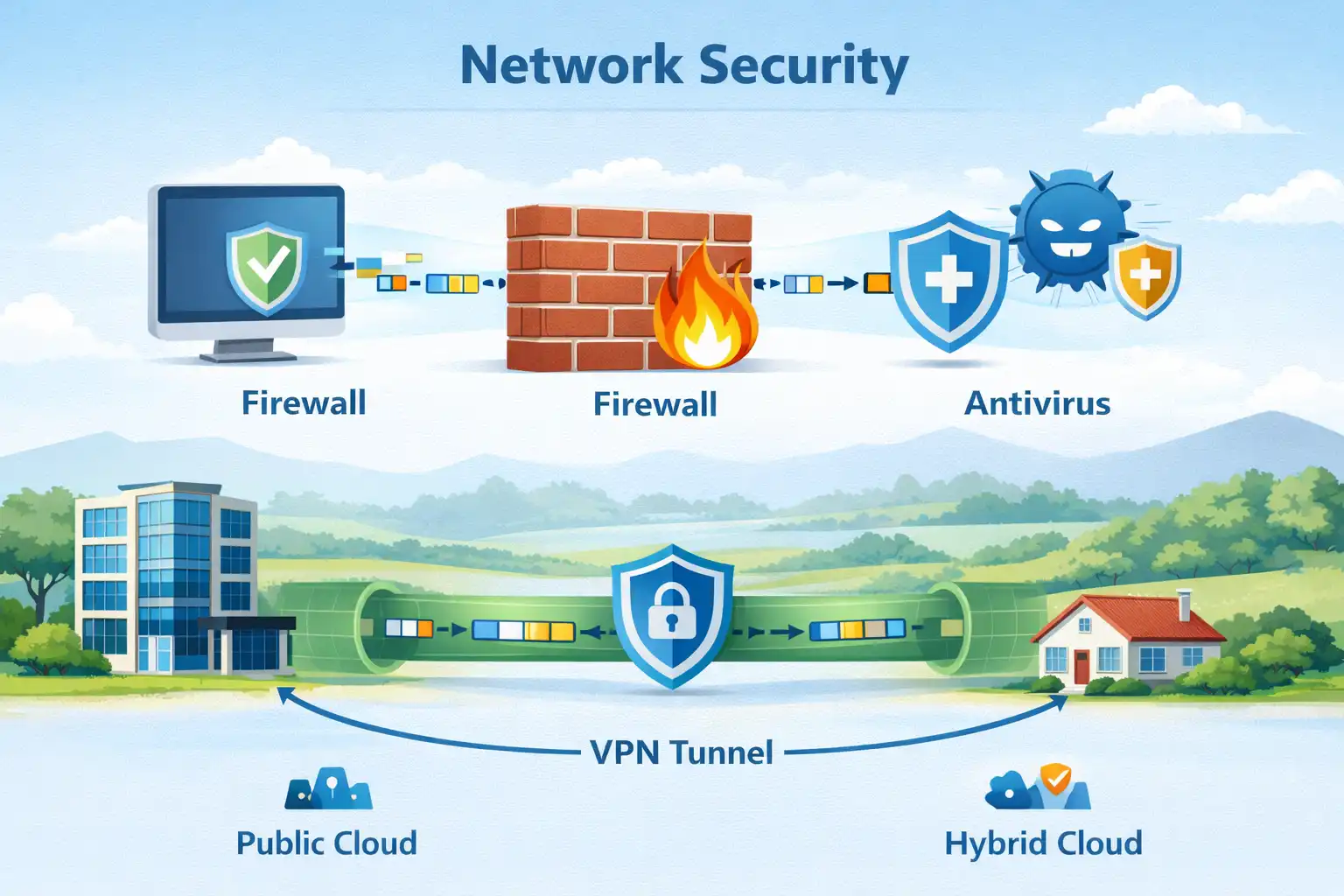
Home and small office security typically includes:
- Antivirus/antispyware software - Protects devices from infection
- Firewall filtering - Blocks unauthorized access
Corporate security adds:
- Dedicated firewall systems - Advanced filtering for large traffic volumes
- Access control lists (ACLs) - Filter based on IP addresses and applications
- Intrusion prevention systems (IPS) - Identify fast-spreading threats
- Virtual private networks (VPNs) - Secure remote access for workers
Good security uses multiple layers - if one defense fails, others still protect the network.
5.5 - CCNA Certification
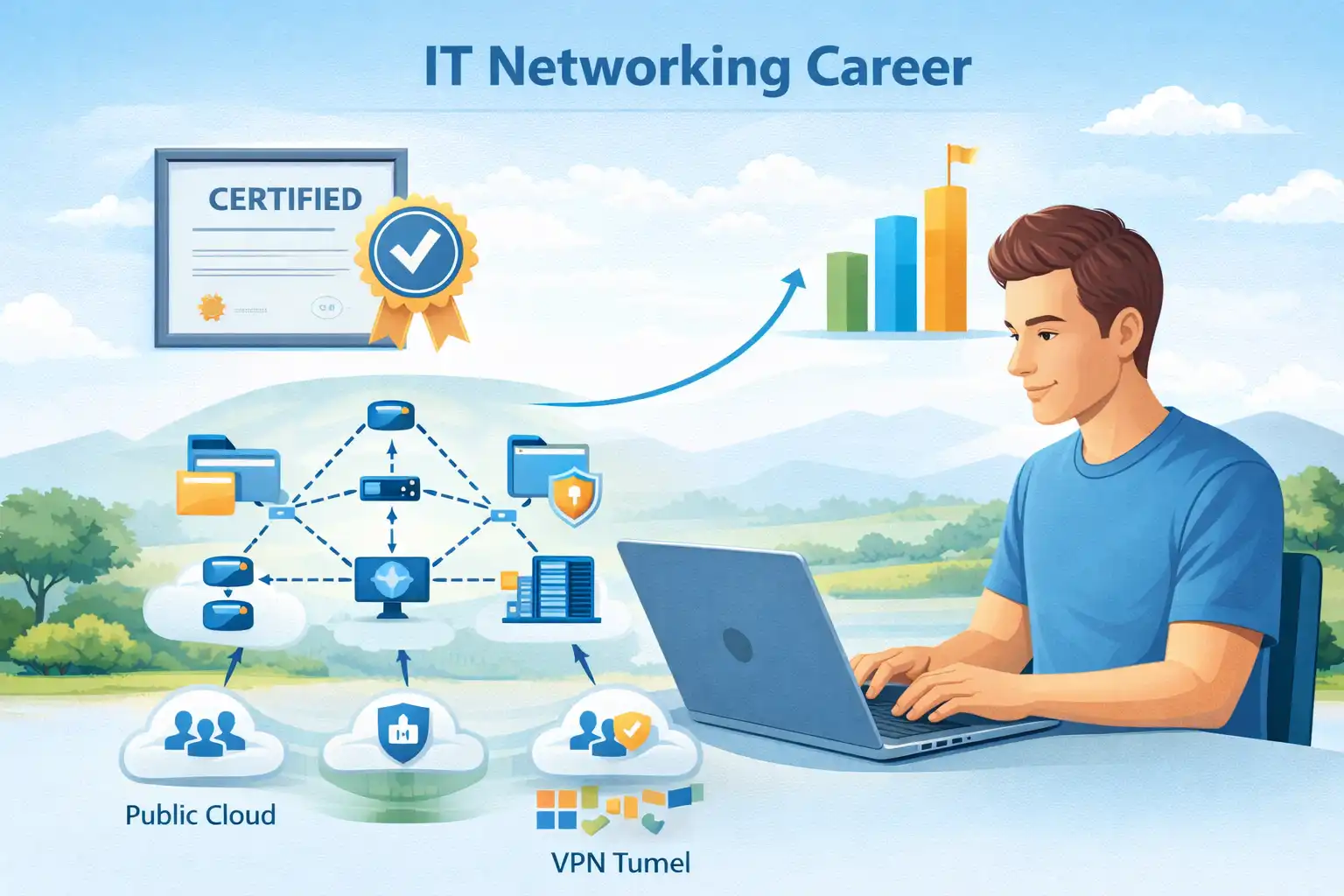
The Cisco Certified Network Associate (CCNA) certification proves you understand foundational networking technologies. It covers:
- IP fundamentals
- Security
- Wireless networking
- Virtualization
- Automation
- Network programmability
You can start at any level - associate, specialist, professional, or expert - with no prerequisites.
5.6 - Job Opportunities
CCNA prepares you for many IT roles, including:
- Network administrator
- Network architect
- Computer systems administrator
Where to look:
- www.netacad.com - Click "Careers" then "Employment opportunities"
- Talent Bridge Matching Engine - Find local jobs
- Job sites like Indeed, Glassdoor, and Monster
- Search terms: "IT," "network administrator," "Cisco CCNA"
5.7 - Key Takeaways
- Networks connect us globally, making distance irrelevant for communication and collaboration
- Networks consist of hosts (end devices), intermediary devices (routers, switches), and media (cables, wireless)
- Reliable networks need fault tolerance, scalability, quality of service, and security
- Today's trends include BYOD, cloud computing, video collaboration, and smart home technology
- Network security requires multiple layers of protection against both external and internal threats
- Networking skills open doors to diverse IT careers, with CCNA certification as a valuable credential
Ready to start exploring? Launch Packet Tracer and begin building your first network!